⌖Your
pickup → destination
Choose your destination
Set your pickup and tell MOTA where you want to go.

From a moto across town to a car for your day. Move with MOTA, or get ready to drive.
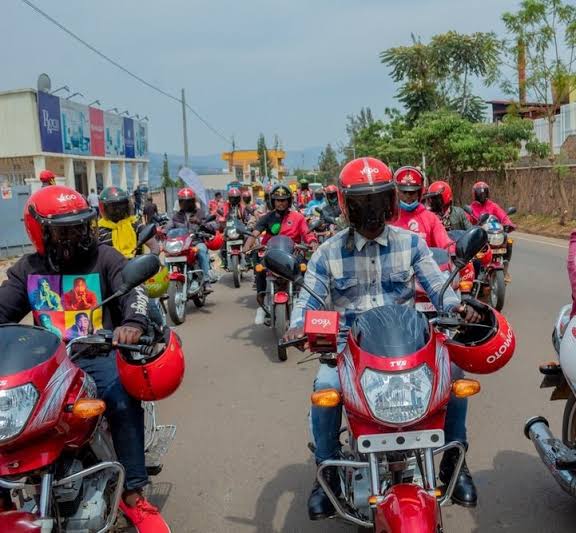 MOTA concept imagery
Explore a motorcycle ride for your everyday journey.
See how it works →A guide to MOTA. Availability is shown in the app.Start with a journey. Get to know the tools that help riders and drivers along the way.
Explore car and moto journeys, from your pickup to your destination.
Meet your next ride 02 / DRIVEPrepare your account, verify your documents and get ready for the road.
Get ready to drive 03 / DRIVER WALLETDeposits, withdrawal requests and transaction history, together.
Explore your wallet 04 / SUPPORTFind guidance for verification, your account and trip details.
Find your guidanceOne app for riders.
One connected workspace for drivers.
From your pickup to your destination.
MOTA keeps the important details together.
Illustrative map · service availability is shown in the app
A few simple steps. Everything you need along the way.
Set your pickup and tell MOTA where you want to go.
Select a car or moto, with your choice clearly shown.
See trip progress and essential details from the app.
Drivers can review wallet activity and request withdrawals.
Explore a journey, from the first tap to your destination.
Choose your pickup and enter your destination. Keep the important details in one place.
Bring your driving experience. We’ll help you prepare your account.
How it works →Registration fee for a driver account.
Keep clear, readable copies ready. Complete the fields and expiry dates requested in the app.
Give your earnings a home. See wallet activity, add funds, and follow withdrawal requests from your driver account.
See your wallet transactions and their status in one place.
Join as a driver →Illustrative wallet guide
Find verification and profile settings inside MOTA.
Check trip details and wallet transaction statuses.
Keep your emergency contact and safety details current.
Phone verification, personal information and documents.
View guidance →Deposit, withdraw and follow the status of your requests.
View guidance →Ride details, feedback and support in the MOTA app.
View guidance →Manage emergency contacts and essential account settings.
View guidance →“Know where you’re going.”Pickup and destination
“See what happens next.”Trip progress
“Stay in control of your account.”Verification and profile
“Keep your earnings organized.”Driver wallet
Ride requests, trip updates and account tools work together in one connected experience.
Explore MOTA technology →MOTA brings your account, journey details and next steps into one place. Take a moment to prepare before you head out.
Explore supportVerify your phone and complete the required identity documents. Email verification is optional.
Confirm your pickup, destination and vehicle category in the app before requesting your ride.
Review your profile and emergency contact. Drivers should also keep vehicle documents and expiry dates current.
Check account guidance and the status of your requests. Use the support options available in MOTA.
For an emergency, contact local emergency services.
For the early start, the daily commute, and the road home.
Get to know the MOTA experience.
Choose a ride and follow the steps from pickup to destination.
Explore rider tools →Prepare your personal and vehicle documents for verification.
View verification guidance →Find your next step, whether you’re riding or driving.
Register, verify your phone and complete the personal documents requested in the app. Drivers also complete vehicle verification, registration payment and account review. Email verification is optional.
No. Riders do not pay a registration fee. The driver registration fee is 5,000 RWF.
Personal identity documents and a selfie, driving licence, transport permit, insurance, vehicle registration and technical inspection. The driver vocational card is optional. Use the app to see the full requirements and document expiry dates.
Submit a withdrawal request from your driver wallet. Requests stay queued until queued payouts meet the provider minimum of 10,000 RWF. Track the payout status in your account; timing depends on the payment provider.
Use clear, readable files, including both sides of your identity document where requested. Follow the size and format guidance in the app. Check that each upload is confirmed before submitting your verification.
Use the release links in the download section below. If a link is marked pending, the official release URL has not been added yet.
Check release links →No matching questions. Try another word or choose all questions.
One app for riders and drivers. Choose your device below.
Official download links are being prepared. These buttons show the current release status.